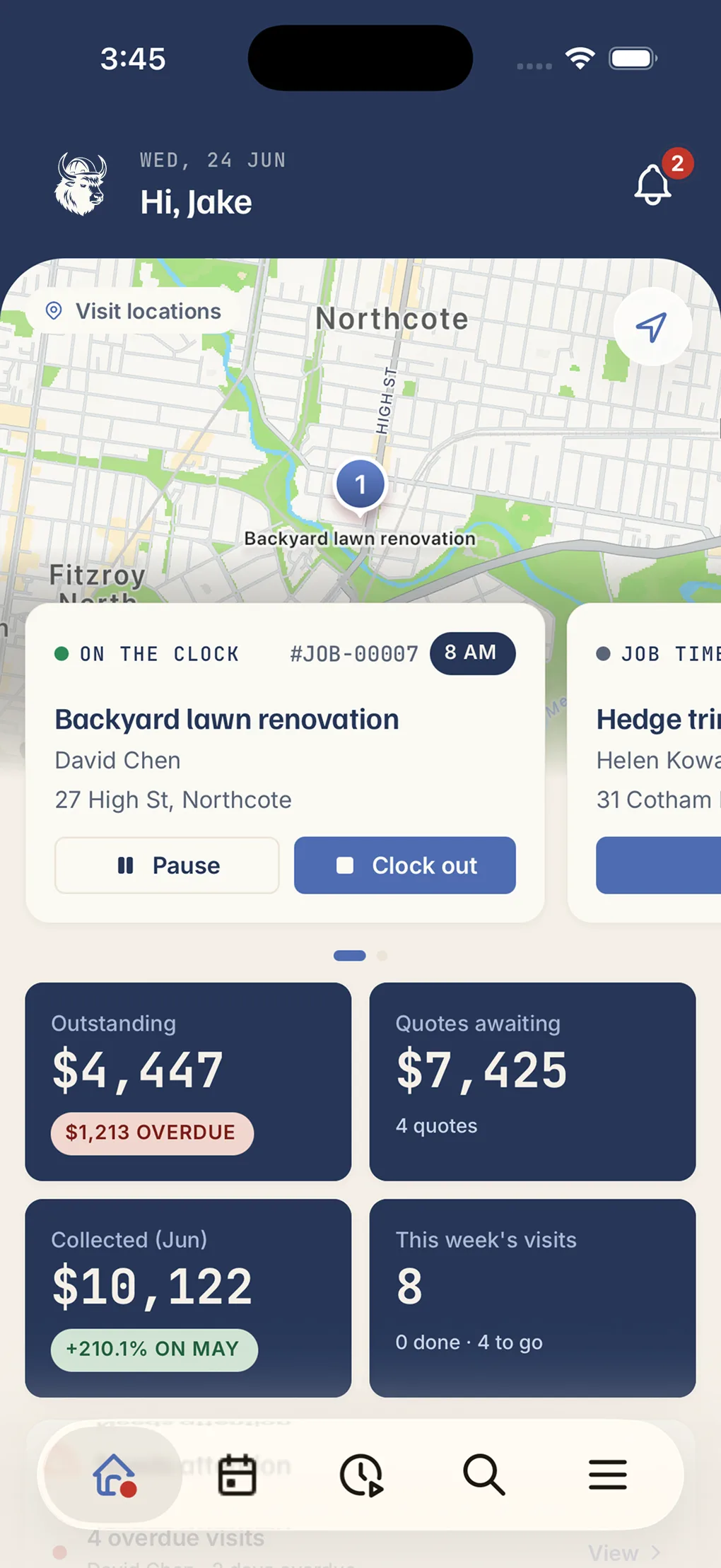

QUOTE  →  JOB  →  PAID

Every job and every crew member, on one board.

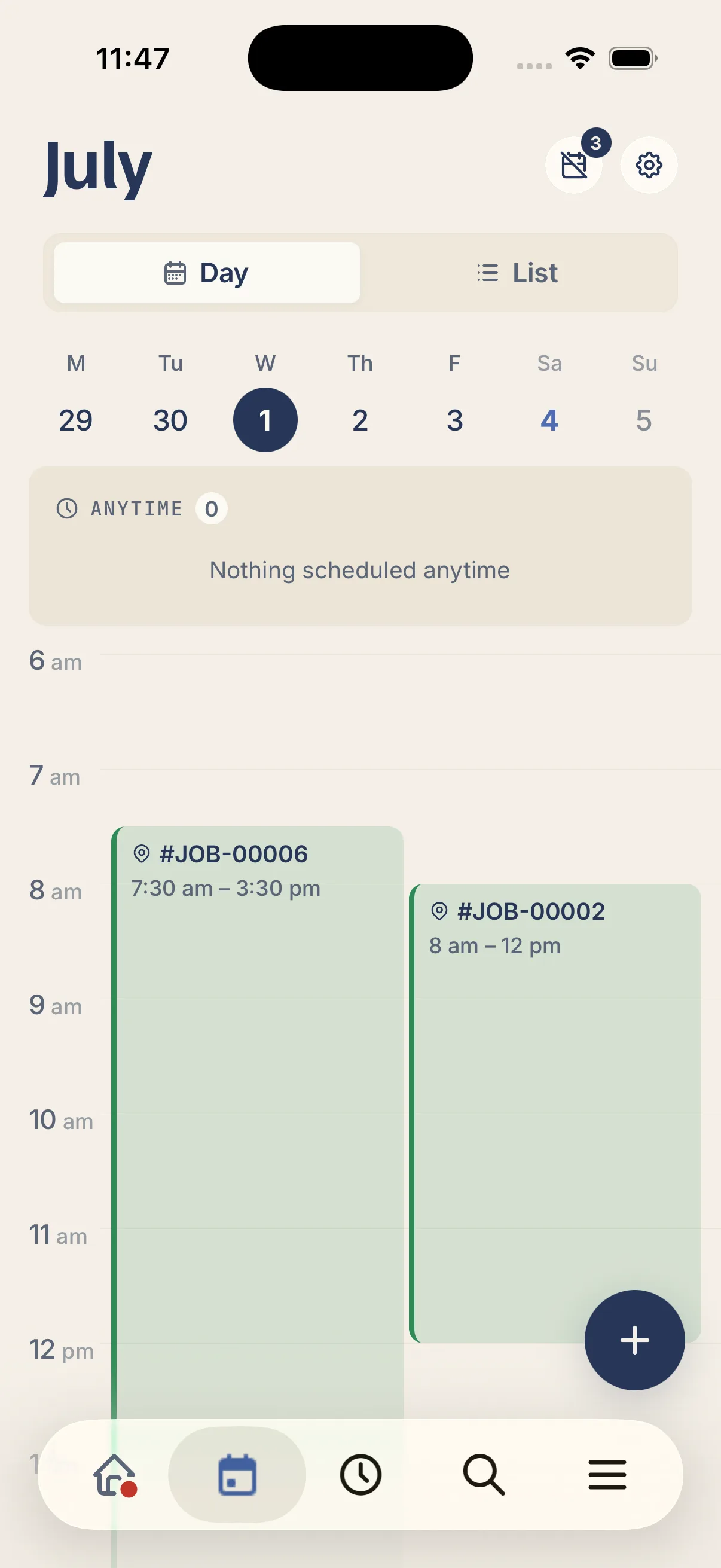
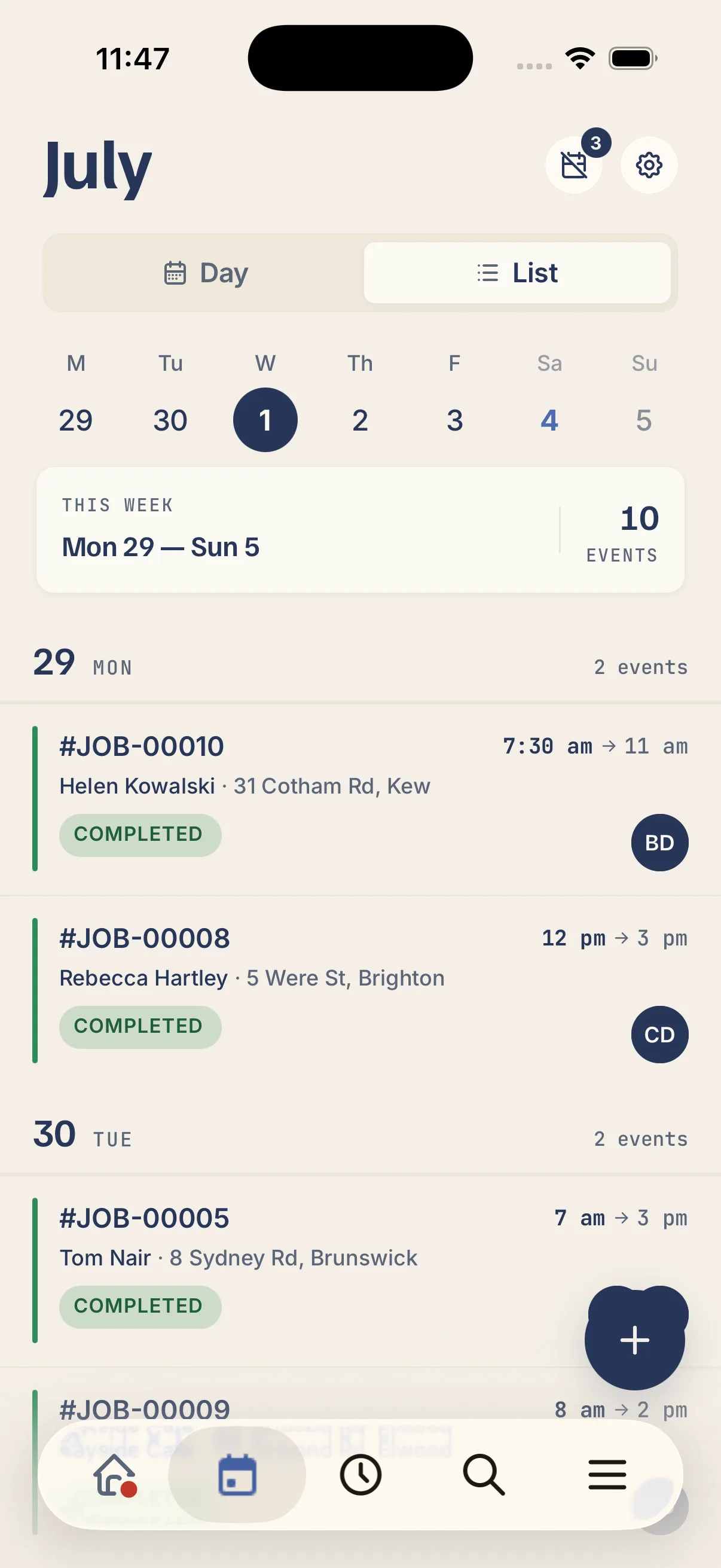
Drag jobs onto the calendar, assign the right person, and see the whole week at a glance, with no double-bookings, no blokes turning up to the wrong site. Your crew sees their day the moment you book it.

  • No card needed
  • 30 days free
  • Whole crew included
“Kelpie put my whole business on my phone. I quote on site, the invoice goes out the second the job's done, and the money lands without me chasing it. Game changer for a small team.”
@hakeaprojects
Alex Tasseron
Hakea Projects · Fairfield, VIC
Alex Tasseron

Book it, assign it, and the crew just knows.

One shared board for every job and every person, built to be sorted in a couple of taps.

Book a job in a couple of taps.

  • Drag-and-drop calendar: schedule and reschedule by dragging, not retyping.
  • Assign the right person: put the job on the crew member, or a subbie, who's free.
  • Recurring jobs sorted: set repeat work once and it fills the calendar itself.

Spot the gaps, dodge the clashes.

  • Day and week views: see the lot, or zoom into one crew member's run.
  • Colour-coded at a glance: sort by job, status or who it's assigned to.
  • No double-bookings: see who's already booked before you slot the next job in.

Your team sees their day instantly.

  • Pushed to their phone: new and changed jobs land on the crew's app straight away.
  • Address and details attached: they tap the job and get the site, the customer and the scope.
  • Everyone on the same plan: change it once and the whole crew's looking at the latest version.
“I used to do quotes and invoices at the kitchen table well after I clocked off. Now it's knocked out from the ute before I've pulled out of the driveway, I've got my evenings back.”
Luc Dunbar
Luc Antony Garden Designs · Keilor East, VIC
Luc Dunbar
Questions, answered

What tradies ask about scheduling.

Yes. Drag a job to a new day or a different crew member and it's rescheduled, everyone assigned sees the change on their phone straight away.

Yes. The moment you book or move a job, it shows up on the assigned crew member's phone with the address and details, so nobody turns up to the wrong site.

Yes. Each person sees their own run for the day on the app (what's on, where it is and what the job involves) without ringing the office.

Yes. Put a whole crew on a big job, or hand one to a subbie, everyone assigned gets the job details on their phone.

Yes. Set up repeat work (weekly, monthly, whatever the customer's on) once, and it fills the calendar automatically so you don't re-book it each time.

Yes. Book multi-day jobs so a longer install or build sits across the calendar properly, instead of being crammed into a single slot.

The board shows who's already on a job before you schedule the next one, so you can see who's free and slot work in without clashes.

Yes. The full app runs on both, so your whole crew sees the schedule no matter what phone they're carrying.

No. Scheduling is included with every Kelpie seat along with quoting, jobs, invoicing and payments, nothing's locked behind a higher tier.

Never. Pay monthly or annually, cancel any time, and take your data with you. We'd rather earn your subscription each month than lock you in.