
Say it once. The paperwork writes itself.

  • No card needed
  • 30 days free
  • Works from your phone
“ServiceYak put my whole business on my phone. I quote on site, the invoice goes out the second the job's done, and the money lands without me chasing it. Game changer for a small team.”
@hakeaprojects
Alex Tasseron
Hakea Projects · Fairfield, VIC
Alex Tasseron

From a sentence in the ute to drafts on your desk.

Ask for it however suits.

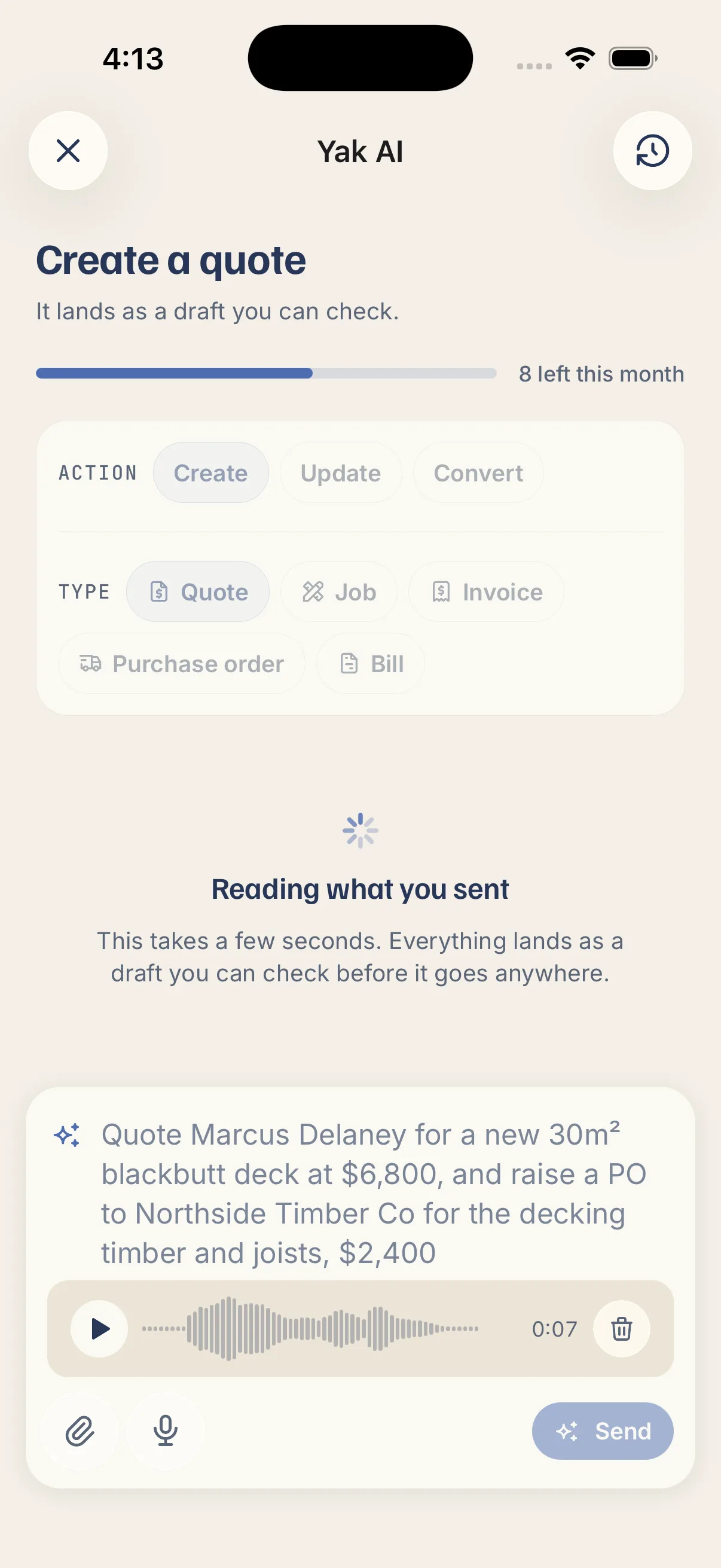
  • Type, talk or snap: write a line, hold the mic, or photo the job sheet.
  • Plain words, no forms: "invoice the Kellys for last week's job" is all it takes.
  • Chips if you want them: tap Create, Update or Convert. Your words still win.

It works out what you're asking for.

  • It looks up before it writes: your existing client and supplier, not a second copy.
  • Your prices, never invented ones: lines come off your price book, labour rates and kits.
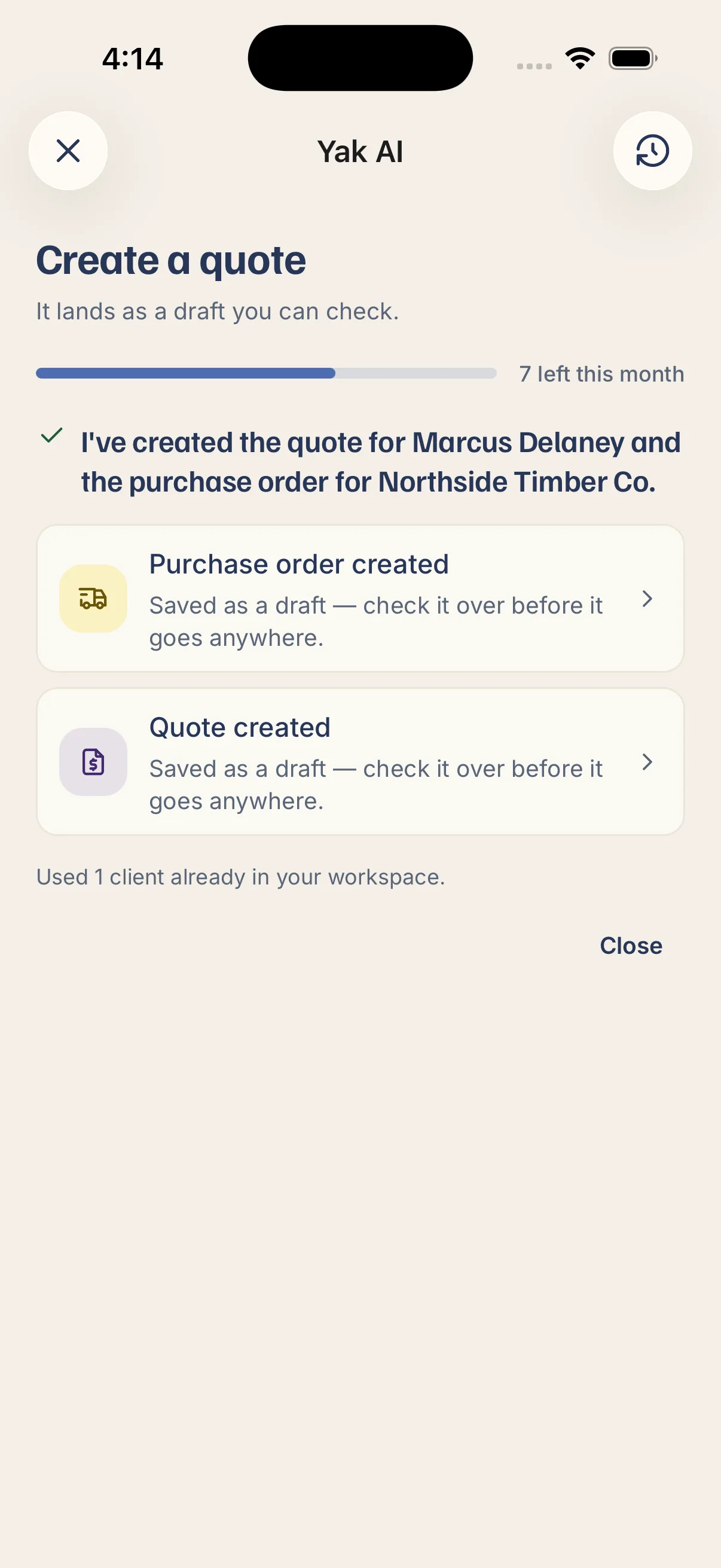
  • Two things in one breath: a quote and a purchase order from one sentence.

Check the drafts, then send.

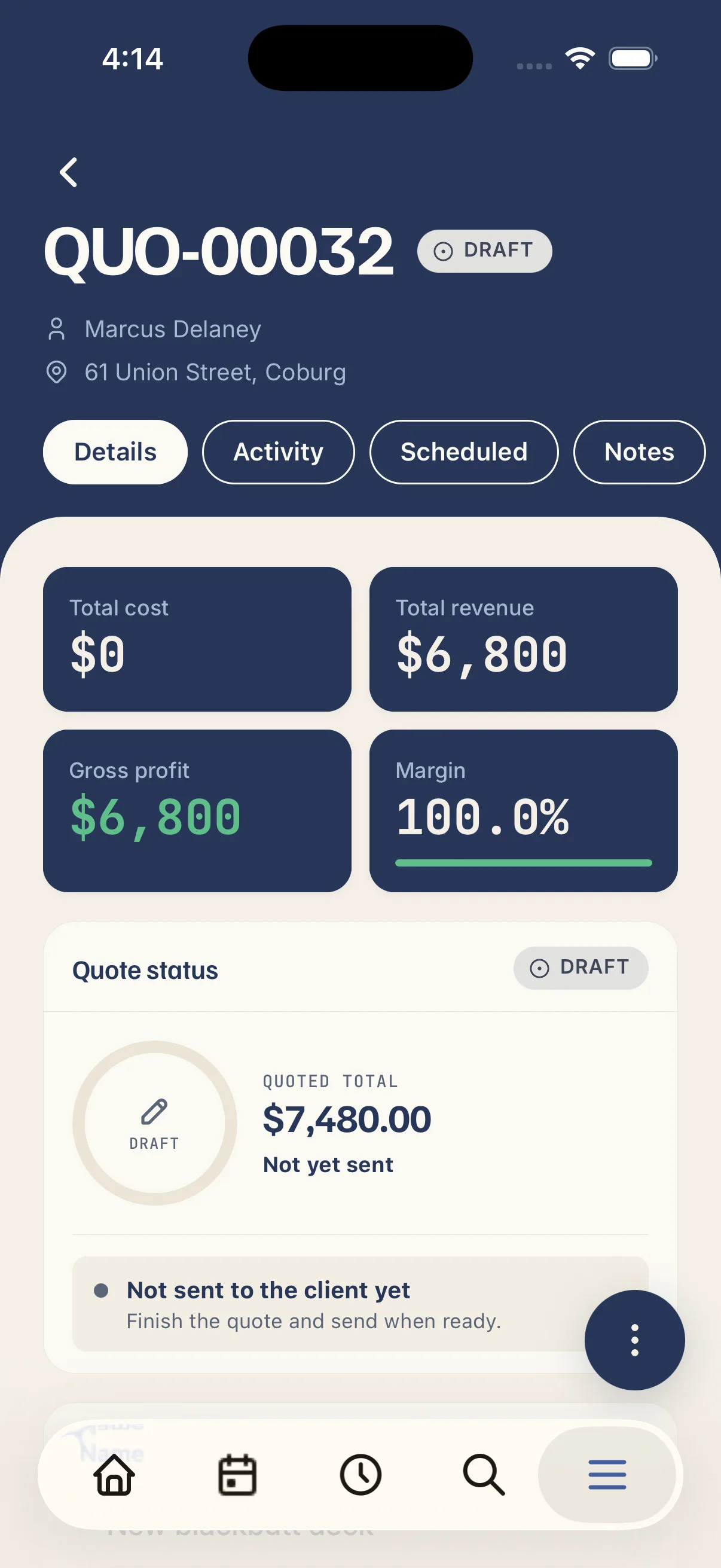
  • Nothing sends itself: everything lands as a draft. You send it, not the AI.
  • A receipt of what it touched: what it wrote, matched and flagged.
  • It can't outrank your permissions: it only does what you could already do by hand.
“I used to do quotes and invoices at the kitchen table well after I clocked off. Now it's knocked out from the ute before I've pulled out of the driveway, I've got my evenings back.”
Luc Dunbar
Luc Antony Garden Designs · Keilor East, VIC
Luc Dunbar
Questions, answered

What tradies ask about Yak AI.

Write and change quotes, jobs, invoices, purchase orders and bills, and turn one into the next: quote to job, quote to invoice, job to invoice, purchase order to bill. Clients and suppliers it looks up and attaches, rather than edits.

Yes. Hold the mic and say what you need, up to five minutes. You can attach photos, PDFs and voice notes too, up to five per request.

No. It writes the records and stops. It can't email or text a document, take or refund a payment, delete anything, roster who's working when, or run a report. Ask for one of those and it says so plainly rather than doing something else instead.

That's a job, and it writes it. What it won't do is pick the day or put a name on it: the job lands unscheduled and it tells you the diary is still yours. It writes every part of a request it has a tool for and names the rest, so half a job never comes back as an apology.

It searches your clients and suppliers before it writes, and partial names are fine. If two match, it asks which one instead of picking. If none match, it can add them and says so.

Your price book, labour rates and kits. It copies what you've saved. If a line isn't in your book and you haven't said a price, it's left blank for you.

Yes. "Put the extra day on QUO-42", "add the rubbish removal to the Henderson job". It touches only what you asked about; the rest of the record is left alone. Client and supplier details it leaves to you.

Yes. Ask for a quote off the meeting you had yesterday and it finds it, reads the summary and transcript, and drafts from what was actually discussed.

Nothing's gone anywhere, so you just fix the draft. It also flags what it wasn't sure of, rather than leaving you to spot it.

Everyone who's allowed to create the record in question. A crew member who can't raise invoices can't get the AI to raise one. Owners and admins see every request the workspace has made; everyone else sees their own.

Included on every plan. Standard gives you 20 Yak AI requests per person per month; the AI add-on lifts that to 200. A request that writes three records still counts as one, and one that writes nothing costs nothing.