
Snap the invoice. Skip the typing.

  • No card needed
  • 30 days free
  • Scan from your phone
“ServiceYak put my whole business on my phone. I quote on site, the invoice goes out the second the job's done, and the money lands without me chasing it. Game changer for a small team.”
@hakeaprojects
Alex Tasseron
Hakea Projects · Fairfield, VIC
Alex Tasseron

From crumpled receipt to logged cost, without the admin.

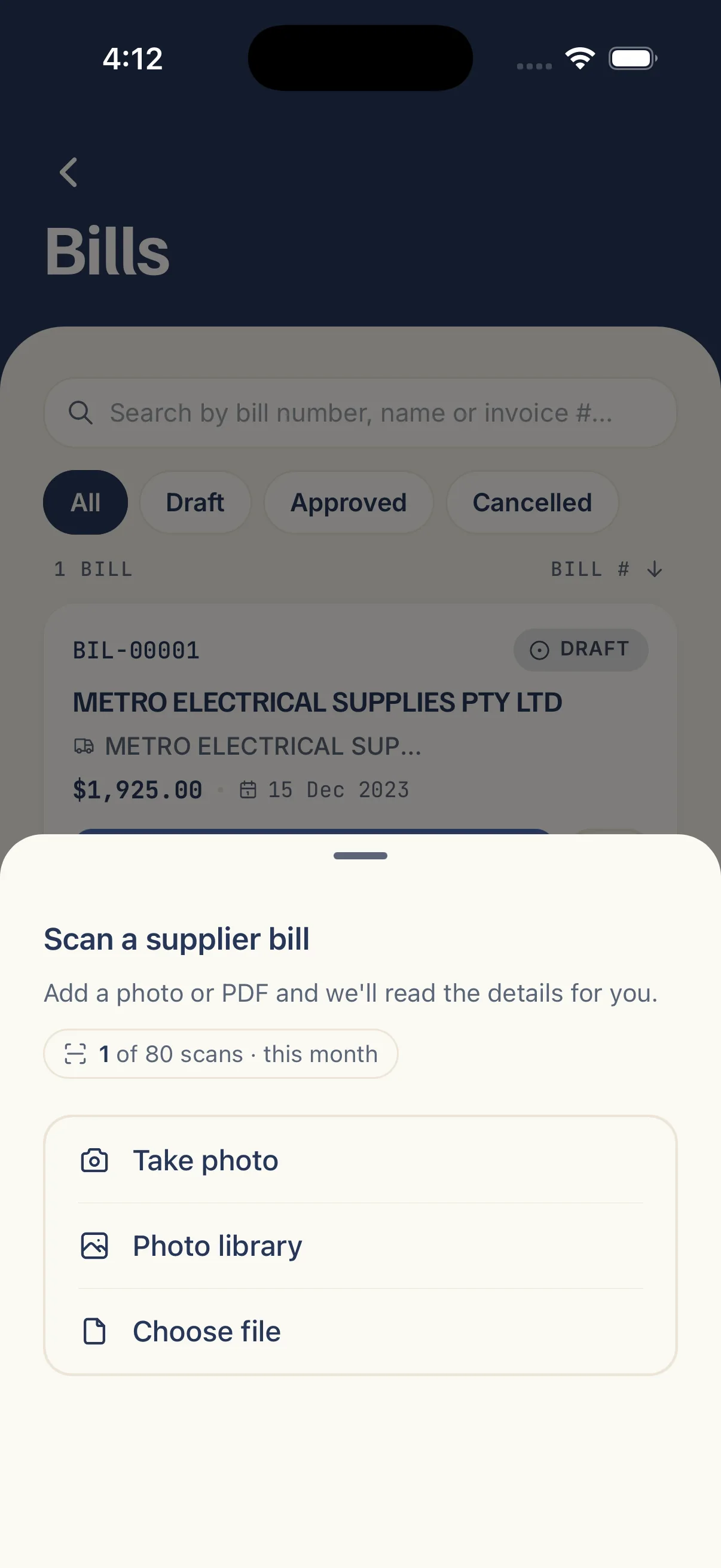
Snap it or upload it.

  • Camera, gallery or PDF: snap it at the counter, or upload a supplier invoice PDF.
  • Phone or desk: scan in the app, or drag and drop on the web.
  • Receipt or supplier bill: a receipt becomes an expense, an invoice becomes a draft bill.

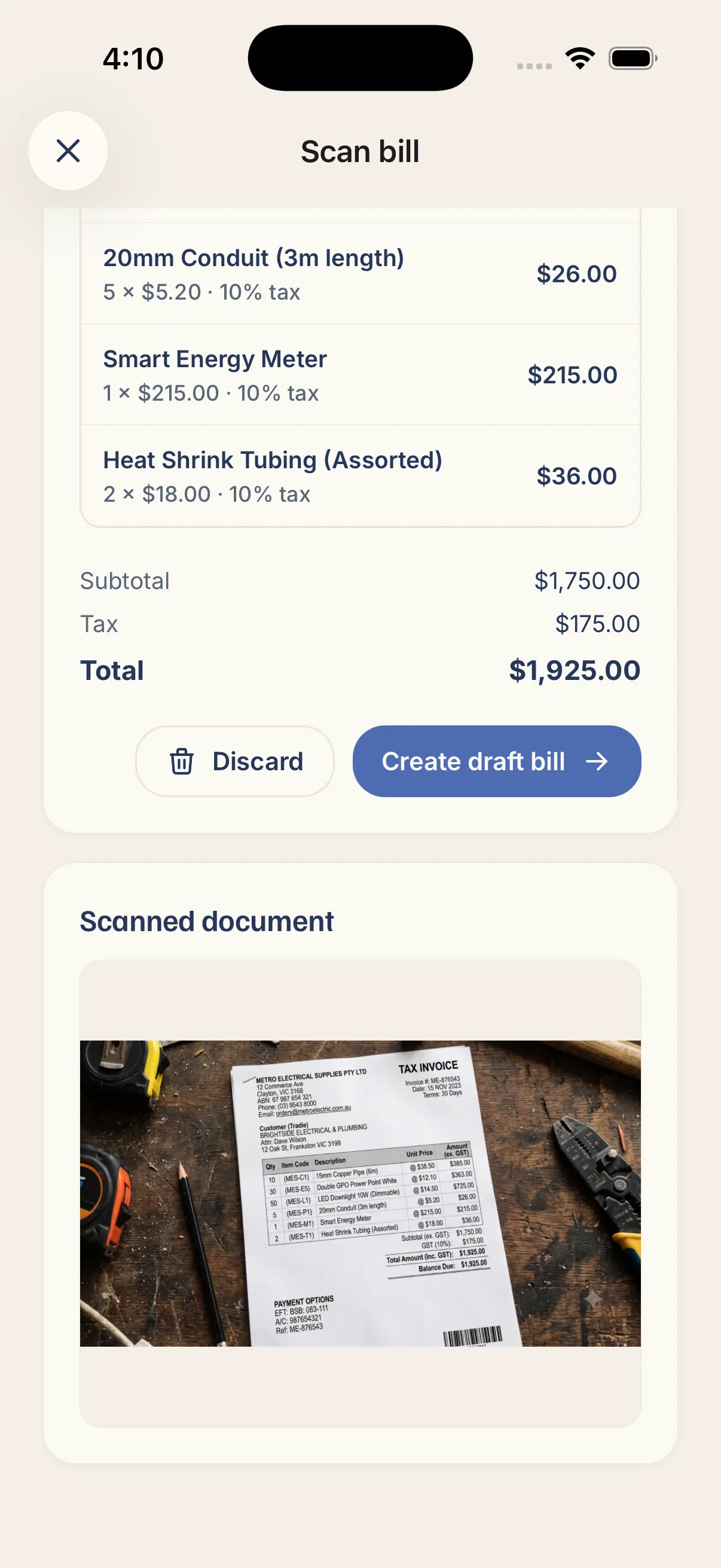
ServiceYak reads the document.

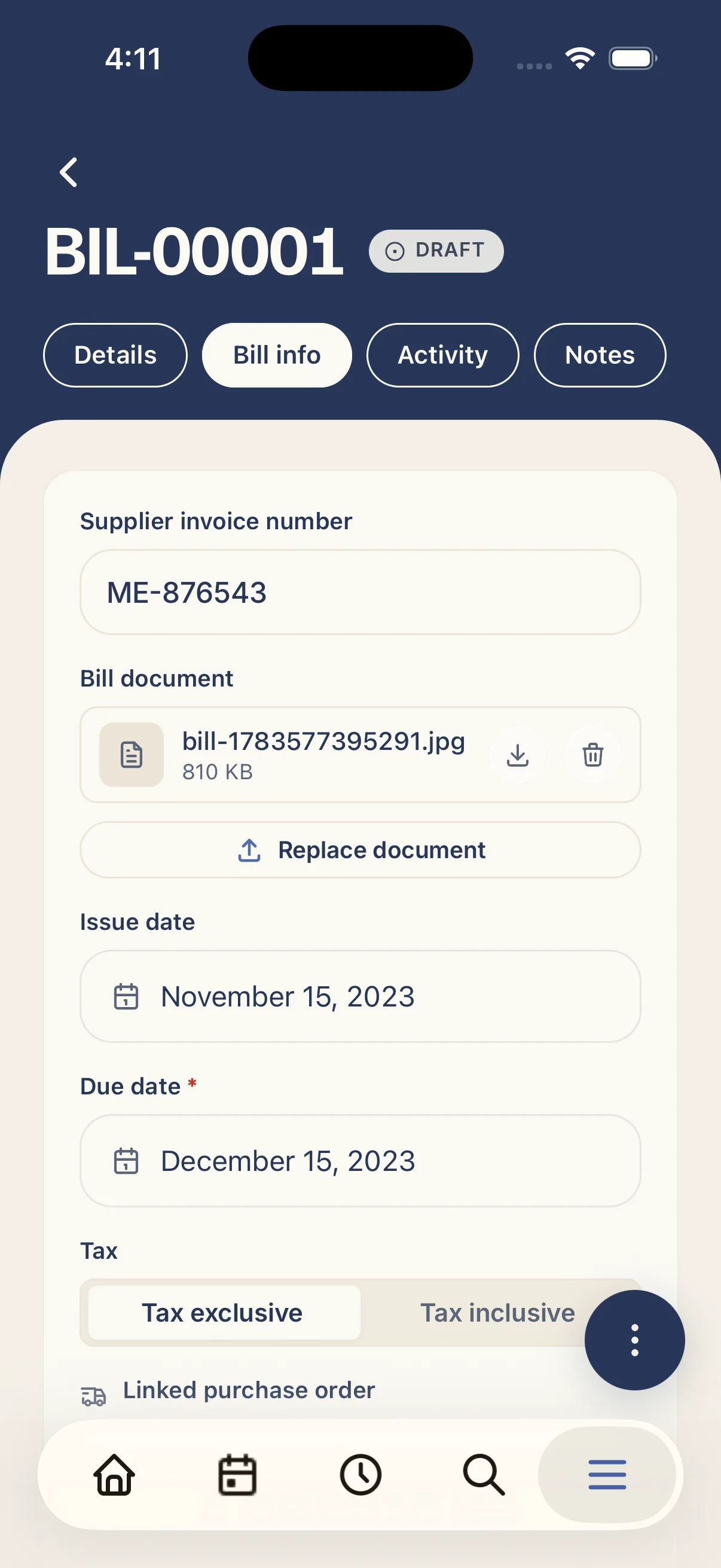
  • Supplier, dates and amounts: read straight off the document.
  • Line items on supplier bills: every material line captured with quantity and price.
  • Australian GST and ABN: amounts in dollars, GST handled the way your books expect.

Review it, then save it.

  • A draft you check first: tweak the name, total, tax or job before it's saved.
  • Link it to the job: attach the expense so your costs stay with the work.
  • The original stays attached, and approved bills sync to Xero or QuickBooks.
“I used to do quotes and invoices at the kitchen table well after I clocked off. Now it's knocked out from the ute before I've pulled out of the driveway, I've got my evenings back.”
Luc Dunbar
Luc Antony Garden Designs · Keilor East, VIC
Luc Dunbar
Questions, answered

What tradies ask about Smart Scanner.

Photos or PDFs of shop receipts and supplier invoices: JPG, PNG, WEBP, HEIC or PDF, up to 25 MB. Take a photo with your phone camera, pick one from your gallery, or upload a PDF from email.

A receipt scan creates an expense for fuel, materials from the shop, or anything you've paid for that needs logging against a job or reimbursing to a team member. A bill scan creates a draft supplier bill with line items, ready for you to review, approve and sync to your accounts.

Yes. ServiceYak reads the document and shows you what it found, but nothing becomes an expense or bill until you confirm. If a total, date or line looks wrong, fix it before you save. The AI reads what's printed, it doesn't guess.

Yes. That's what it's built for. Tap scan on the Expenses or Bills screen, take a photo at the merchant counter, and ServiceYak reads it while you get back to the job.

Yes. Bill scans capture individual lines, description, quantity, unit price and GST, and pre-fill a draft bill. You review the lines on the bill screen before approving.

For bills, ServiceYak matches the supplier by ABN or name against your existing contacts, or creates a new supplier from what's on the invoice. You can change it on the bill before approving.

Yes. When you review a receipt scan, pick the job it belongs to so the cost lands on the right work and your job costing stays accurate when you go to invoice.

Approved bills sync through to Xero or QuickBooks like any other ServiceYak bill, so you're not entering the same invoice twice. Expenses stay in ServiceYak for job costing and payroll reimbursement.

You can retry a failed scan without using up another scan from your monthly allowance. If the read is mostly right but a field is off, just edit it during review. You stay in control.

Included on every ServiceYak plan. Standard includes 20 document scans per person per month; the AI add-on lifts that to 200. A retry of a failed scan doesn't count twice.